 SeaChart
 receives AIS information from compatible AIS/NMEA equipment over a local TCP or UDP connection. Start with the receiver's network settings, then check whether usable vessel reports are reaching the app.
Choose the connection your equipment supplies
| Transport | SeaChart needs | Check on the equipment |
|---|---|---|
| TCP | The receiver or gateway's reachable host address and TCP port. | The equipment must offer a TCP server sending usable AIS/NMEA messages. The app connects to it. |
| UDP | The receiving UDP port on the phone. | The equipment must send datagrams that reach the phone on that port. Check its destination or broadcast settings. |
Use the protocol, address and port in your equipment's configuration. SeaChart's defaults are not universal settings, and a listed preset does not guarantee compatibility with every firmware version.
Connect and verify
- Join the receiver's network. Keep the phone and equipment on a network that permits them to communicate. Wi-Fi guest isolation or a VPN may prevent a local connection.
- Open AIS settings in SeaChart. Add or edit the device connection. Select TCP or UDP and enter the corresponding port; TCP also needs the host address.
- Start AIS. Check the connection status and received-message information. A successful network connection is only the first check.
- Look for valid position reports. The receiver must supply usable AIS messages before nearby vessel positions can be shown. A vessel's details depend on the messages actually received.
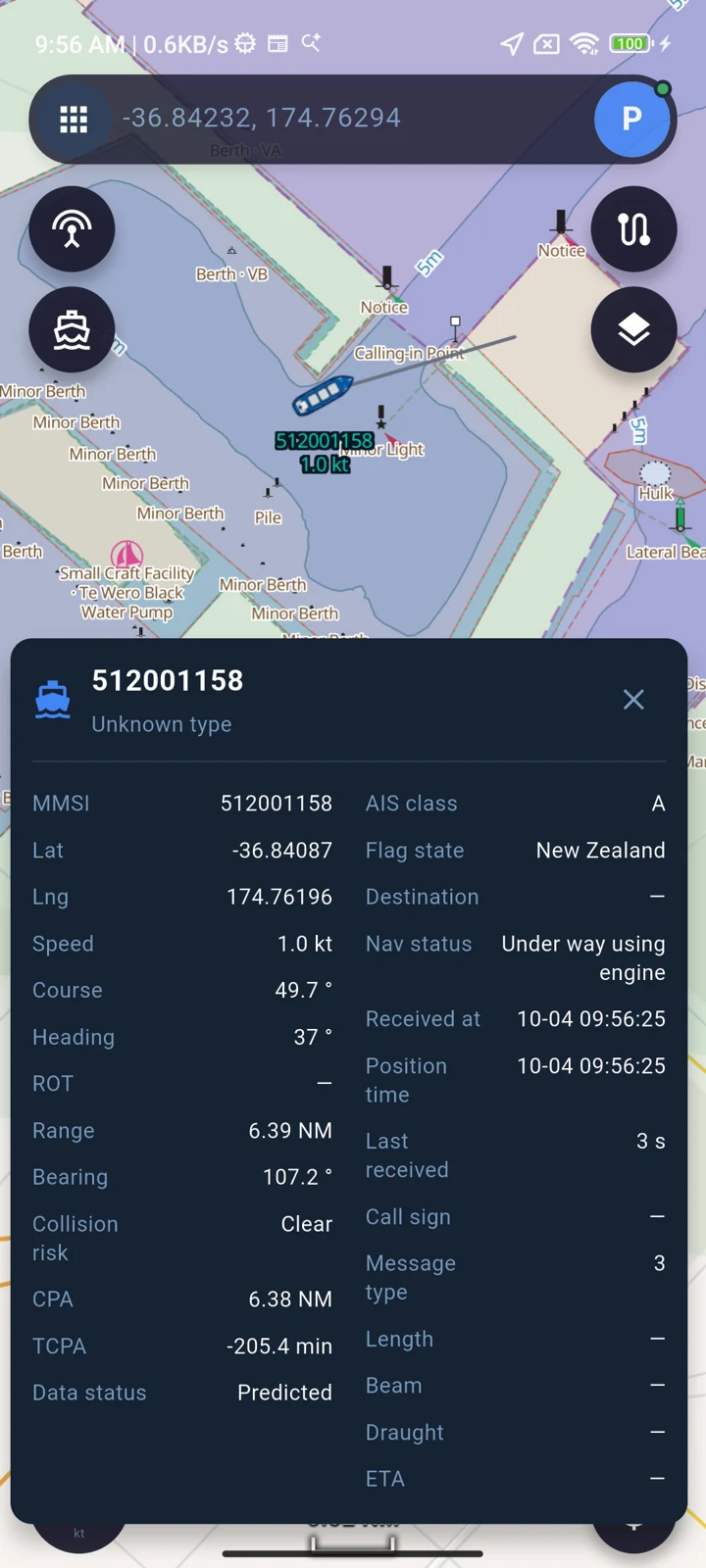
Diagnose the symptom
- TCP does not connect
- Recheck the host, port and server mode. Confirm the phone is on the right network and the equipment permits another client connection.
- UDP is listening but there are no reports
- Check the sender's destination, port and network isolation. Listening on a port does not prove datagrams are arriving.
- Messages arrive but vessels are missing
- Check that the feed contains AIS position reports, rather than only GPS or other instrument sentences. Radio coverage and report availability depend on the receiver.
- Data stops when the phone locks
- Check the app's permissions, Wi-Fi connection and device battery/background restrictions. Verify behaviour on your phone before use aboard.
Receiving AIS is separate from controlling equipment
AIS reception does not mean SeaChart transmits AIS, and it does not imply autopilot compatibility. Autopilot output is a separate feature requiring a compatible instrument that accepts the configured TCP NMEA 0183 sentences. Do not enable output solely to troubleshoot reception.
For help, include your receiver or gateway model, protocol, app version and the observed connection status in a message to [email protected]. AIS is supplementary information; keep a proper lookout and use the appropriate navigation equipment.
