Thoughts on weather forecast
It is my understanding is that weather data are downloaded to the device, and that the data is static until the next update
my concern is that static weather data can become obsolete very quickly and becomes unreliable for planning several days ahead.
My feeling is that it would be much better to have live real time data
there are many weather services ( national, international, NGOs, scientific institutions) that provide free APIs
You can use these to provide more reliable weather data from online sources
For the times that the user is going to be completely offline, the option to download and cache local data may be useful
If this is not feasible, I personally would not use the cached data in favour of using a dedicated reliable weather forecast app
Thank you for your patience
Have a lovely day
Thank you for the detailed feedback. Your concern is completely understandable, and I would like to clarify a little more about how our weather data is currently handled.
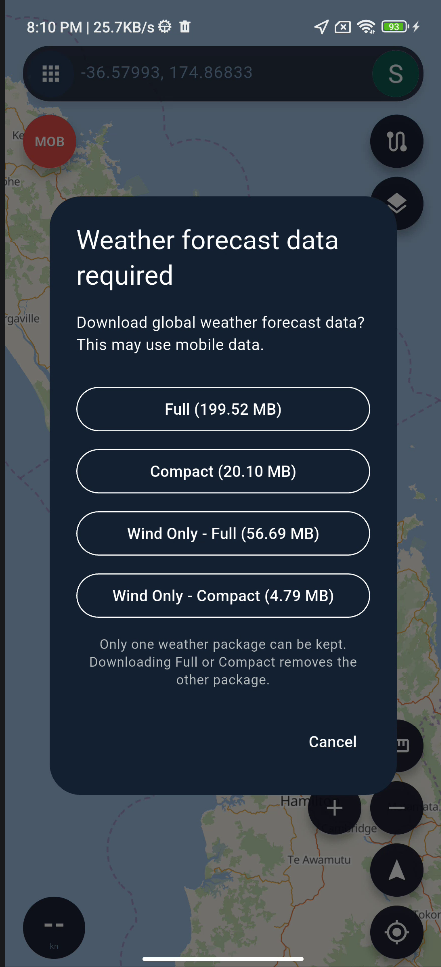
The original global weather dataset is approximately 30 GB for each update. Because this is far too large to distribute directly to mobile devices, our server first receives the raw source data, then processes it, performs the required calculations and forecast processing, and finally compresses and packages the results into a much smaller format suitable for use in the app.
This entire server-side processing pipeline normally takes around one hour after the original data becomes available.
One thing that can sometimes be confusing when comparing weather services is the timestamp shown to users. Many weather products display a "published" or "updated" time, but this does not necessarily indicate when the underlying weather model data was originally generated. In many cases, it simply represents the time when that particular service finished processing and published its own forecast product.
For this reason, two services may display different update times even though their forecasts are based on the same, or similarly timed, underlying model data.
We do agree with your main point that weather information should be refreshed whenever an internet connection is available, while downloaded or cached weather data is particularly useful when a user is offshore or otherwise completely offline.
The app will also check in the background whether newer weather data is available on our server. If an update is available, the next time you open the weather feature you will see an update prompt. You can then choose either to download the latest data or continue using the previously downloaded data.
We are also considering making the weather data more modular. For example, when you open the wind layer, the app could download only the wind-related data rather than the entire weather package. This would significantly reduce the size of each individual download and make updates faster and more convenient.
We will also consider making the data time and update status clearer in the app, so users can more easily understand how fresh the forecast actually is.
Thank you again for taking the time to explain your concerns and suggestions. They are very helpful.
To provide a little more context, weather forecast models do not all update at exactly the same frequency. However, many of the major global forecasting systems currently produce a new forecast cycle approximately every six hours.
For example:
• NOAA GFS / GEFS — 4 forecast cycles per day: 00, 06, 12 and 18 UTC.
• ECMWF IFS — 4 forecast cycles per day: 00, 06, 12 and 18 UTC.
• ECMWF AIFS — 4 forecast cycles per day: 00, 06, 12 and 18 UTC.
• UK Met Office Global Model — 4 forecast cycles per day: 00, 06, 12 and 18 UTC.
• UK Met Office MOGREPS-G Global Ensemble — also runs at 00, 06, 12 and 18 UTC.
There are also regional high-resolution models that update more frequently. For example, NOAA's HRRR model for the continental United States runs every hour.
Therefore, when we refer to an approximately six-hour update cycle, we are referring mainly to the major global forecast models rather than every weather model in existence.
It is also important to distinguish between the model cycle and the forecast resolution. A model may generate a completely new forecast every six hours while still providing forecast values at one-hour intervals.
Another important point is that the model start time is not necessarily the same as the time shown as "Updated" or "Published" by a weather application.
After a new global model cycle begins, the source provider still needs time to complete and distribute the model output. Our server then receives approximately 30 GB of raw global weather data, processes the required information, performs the necessary calculations and forecast processing, and compresses and packages it for mobile use. Our processing stage normally takes approximately one additional hour.
For this reason, two weather applications may show different "updated" times while actually using data originating from the same underlying forecast cycle.
We therefore believe the most useful information for users is not simply the publication time, but the actual age of the underlying forecast data. We will continue looking at ways to make this clearer within the app.
Thank you very much for the detailed and very informative feedback
My only concern is the size of update, I'm using the detailed data (200 MB)
Every update will download the full 200 MB
Is there a way to refresh the data without full download?
Thank you again
Thank you. The main difficulty is the way the weather data is compressed.
To reduce the download size as much as possible, the data is not stored as completely independent values.
For example, if the wind value at the first point is 12, the next point may only store the difference from the first point rather than storing the full value again.
The same method is also used over time. A new forecast frame may store the changes relative to the previous frame instead of storing the entire frame again.
This differential encoding, together with further compression, can significantly reduce the final file size.
However, it also means that the data is highly dependent on the values before it. If an earlier value or forecast frame changes, many of the following encoded values may also change.
Because of this, with the current compression method, refreshing the data is not as simple as deleting one old forecast and adding one new forecast. A new forecast cycle can affect a large part of the compressed dataset.
So implementing a true partial or incremental update is quite difficult with the current data format.
A more practical approach may be to divide the weather data into smaller independent packages, such as wind, waves, pressure and temperature. This would allow users to update only the data they actually need instead of downloading the entire detailed package each time.
Thank you for your feedback.
The new separated weather-data download feature has now been added. Weather data can be downloaded in smaller individual packages, allowing users to update only the types of data they need instead of downloading the entire detailed weather package each time.
This feature is planned to be released in version 2.2.7 in early September.
Thank you again for your suggestion and support.
Thank you very much for the fast response
seperat data is an excellent solution
In my use scenario, my main concern is wind, this should be a good solution for me and others
Thanks again
Thank you very much for your feedback.
Version 2.2.7 has now been released, and the separated weather-data download feature is included in this version.
You can now download and update individual weather data types separately, such as wind, waves, pressure, and temperature, without downloading the entire detailed weather package each time.
Greetings from Egypt
Thanks for the new version
Separate weather data is working well :)
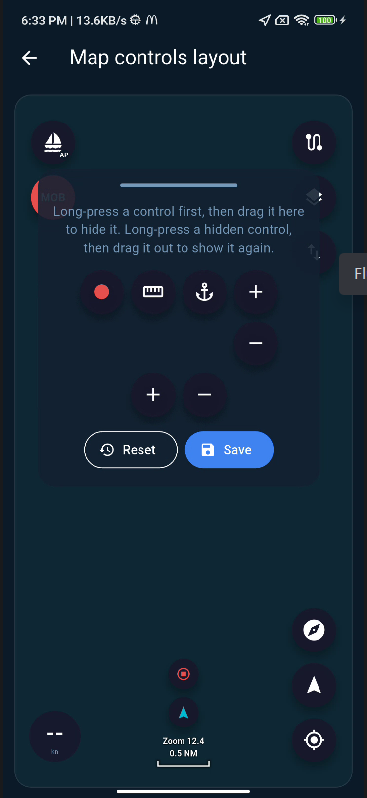
The layout editor is still not working, hopefully will be addressed in next release
The quick action to mark current position and the action to start/stop recording is also not implemented
Thank you again and have a lovely day
Greetings, and thank you for testing the new version.
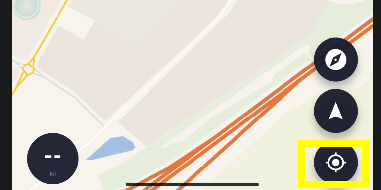
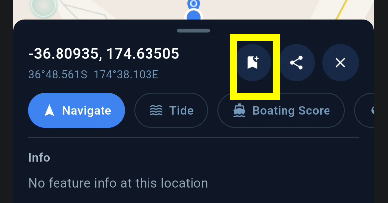
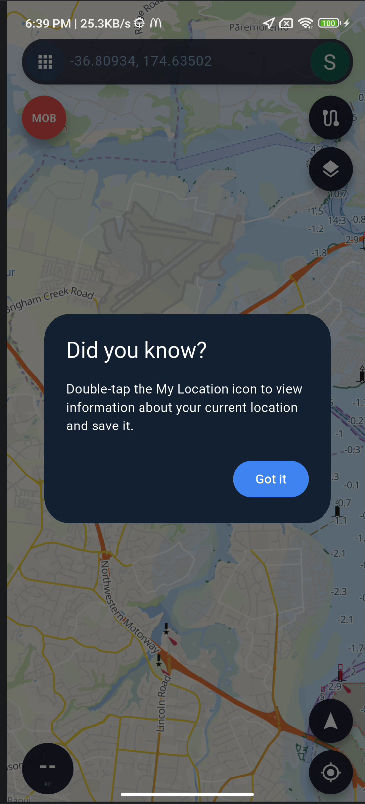
For quickly marking your current position, you can tap the **My Location** button in the bottom-right corner twice. A window will then appear at your current position, where you can choose to save it as a marker, as shown in the screenshot.
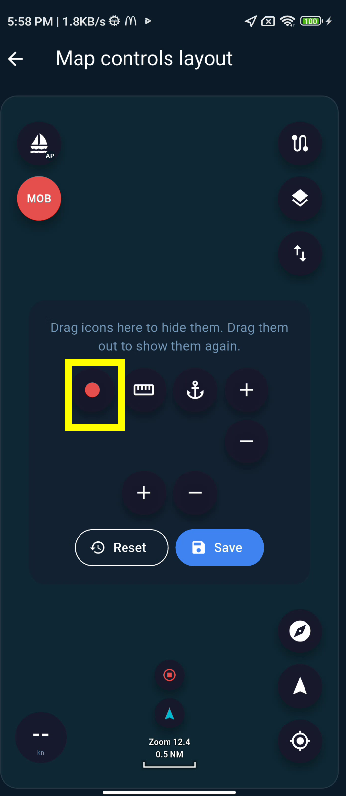
Regarding the **Start/Stop Recording** action, this function is already available, but it is currently located among the hidden buttons. There is an issue with the movement and placement logic for hidden buttons in the layout editor, so this needs to be fixed before the button can be positioned correctly.
I will address this issue in a future update.
Thank you again for your feedback and continued support.
Regarding the layout editor issue you mentioned, I have tested it on several devices but have not been able to reproduce the problem so far.
Could you please try the following steps first:
**Press and hold the icon until you feel a vibration. Once the vibration occurs, you should then be able to drag the icon to the desired position.**
I suspect the issue may simply be that the icon is being dragged before the long-press gesture has been fully triggered.
If it still does not work after trying this, could you please record a short video showing how you are operating the layout editor and send it to [email protected] ? That would help me understand exactly what is happening on your device.
Thank you very much for helping me investigate this.
I have also updated the wording in the interface to make the instructions clearer and hopefully avoid any misunderstanding.
In addition, I added a small drag handle at the top of the window to make it more obvious that the window itself can be dragged and repositioned.
Thank you for pointing this out — it helped me realize that the interaction was not obvious enough.
Thanks again
I think I figured how it works
It appears there are predefined drop zones but they are not delineated in the editor
If I drop on top of an existing icon it briefly highlights the drop zone and accepts the icon
If it is possible, can you make the drop zones visible in the editor, and also make the drop zones movable
Thanks again and have a great day
 SEA CHART