P Pro
Pro
2.4.1
This version mainly introduced larger foundational changes:
- Changed track recording to a new orchestration-based workflow.
- Fixed recording journal line-boundary issues.
- Refactored location-change distribution.
- Reworked chart-download orchestration and parallel multi-file downloads.
- Improved chart-tile selection and Sonar bathymetry overzoom.
- Fixed issues where maps did not appear on iOS or the vessel position stopped updating.
- Unified native logging and reduced unnecessary logs in Release/Debug builds.
- Fixed the download screen remaining stuck at Verifying Chart.
- Improved login network-error messages.
- Hid the donation entry on iOS.
P Pro
2.4.4
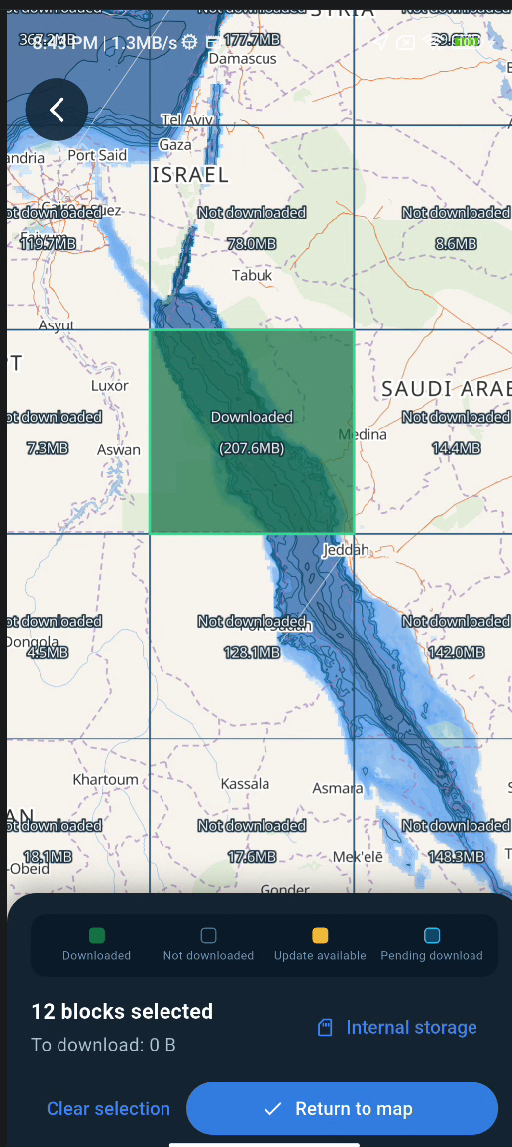
- Offline high-detail chart downloads now use Z6 map blocks. You can select areas on the map and track download status. Block loading, version cleanup, pause and completion feedback, and streaming checksum verification were also improved.
- Overview chart downloads support the new API. The update adds package parsing and validation, improves failure messages, and fixes navigation back to the home screen after an update.
- Cloud sync after login shows actual merge progress. JSON parsing now runs in the background, writes are batched, and the sync response limit is 20 MiB.
- Fixed image upload compatibility for some JPEG files that previously failed to decode.
- Map display and download guidance improved: contour colors were adjusted, and multilingual guidance was added for boundaries between high-detail chart download areas.
Most of the work focuses on offline chart downloads and sync, with additional fixes to download feedback, navigation, and platform code.
P Pro
2.4.5
AIS Vessel Monitoring and Navigation
- Added a vessel status screen and reorganized the history and vessel entries in the AIS reception overview.
- Added vessel-type icons for AIS targets and fixed missing vessel icons on the map.
- Improved vessel detail windows and standardized speed and distance units. Repositioned the vessel position timestamp and removed the window’s drag boundaries.
- Improved track prediction, target display, and collision alerts. Fixed false alerts for nearly stationary targets, disappearing prediction lines when a vessel position is frozen, and AIS navigation data freshness checks.
- Improved AIS reconnection and Wi-Fi recovery. Fixed asynchronous exceptions when the AIS TCP connection is lost.
Maps and Charts
- Fixed map startup so the map can center without waiting for a new location update.
- Fixed basemap display when zooming beyond level 12.
- Removed regional charts and prioritized high-detail place data in place lookup.
- Added long-press name tooltips to map controls and completed the related translations.
- Added diagnostics for MapLibre native library loading failures.
Routes, Recording, and Notifications
- Fixed black screens and lifecycle issues in route editing, as well as track recording recovery and account switching.
- Fixed navigation notifications remaining after closing the app on Android, and repeated remaining-distance notifications on iOS.
- Improved the foreground service lifecycle for anchor watch and handling of download service timeouts.
Downloads, Uploads, and Content Publishing
- Refactored high-detail chart downloads and weather package download and installation.
- Refactored the upload queue and fixed offline retries when the queue is empty. Addressed download concurrency issues.
- Refactored feedback publishing and the publishing and loading flows for user posts.
- Fixed file import paths on Android and iOS, and resolved synchronous file reads on the iOS main thread.
Accounts and Startup
- Fixed login session issues and improved recovery and data isolation after account cleanup failures.
- Added mobile push notifications and reporting of login device tokens.
- Removed the legacy 2.2.0 startup compatibility migration and reorganized startup migrations.
Architecture Refactoring
- AIS: Refactored AIS business flow orchestration and reorganized reception, vessel status, target display, and navigation flows.
- Map: Refactored map initialization and layout, clarifying responsibilities across startup, location, and layout handling.
- Routes: Refactored route editing orchestration, breaking the editing process into clearer flows and improving lifecycle handling.
- User posts: Refactored post publishing and loading, including composition, place lookup, media preparation, and publishing.
- Uploads: Refactored upload queue orchestration, including queue state and offline retry handling.
- Weather downloads: Consolidated and refactored weather package download and installation flows.
- High-detail chart downloads: Refactored download orchestration and clarified download session responsibilities.
- Feedback center: Refactored feedback publishing.
- File handling and recording: Updated the native file I/O bridge, track recording service, and recording state recovery.
- Anchor watch and download services: Updated Android foreground service lifecycle handling for anchor watch and download timeout scenarios.
Some fixes and architectural changes came from the same commits, so they appear under both the relevant feature area and the architecture section.
H Pro
Pro
You've been busy :)
Thanks, great improvement
Wishing you all the best
Cheers
H Pro
Hi
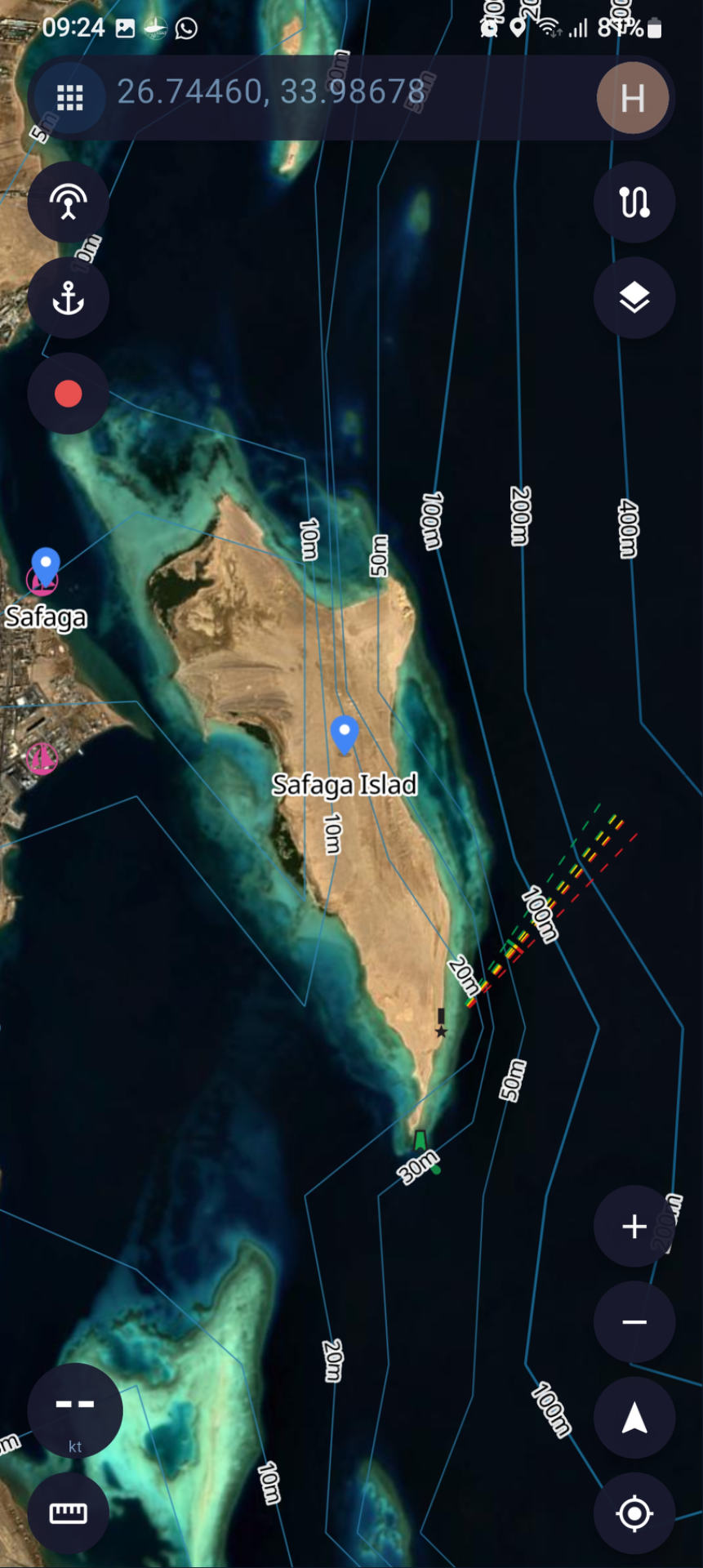
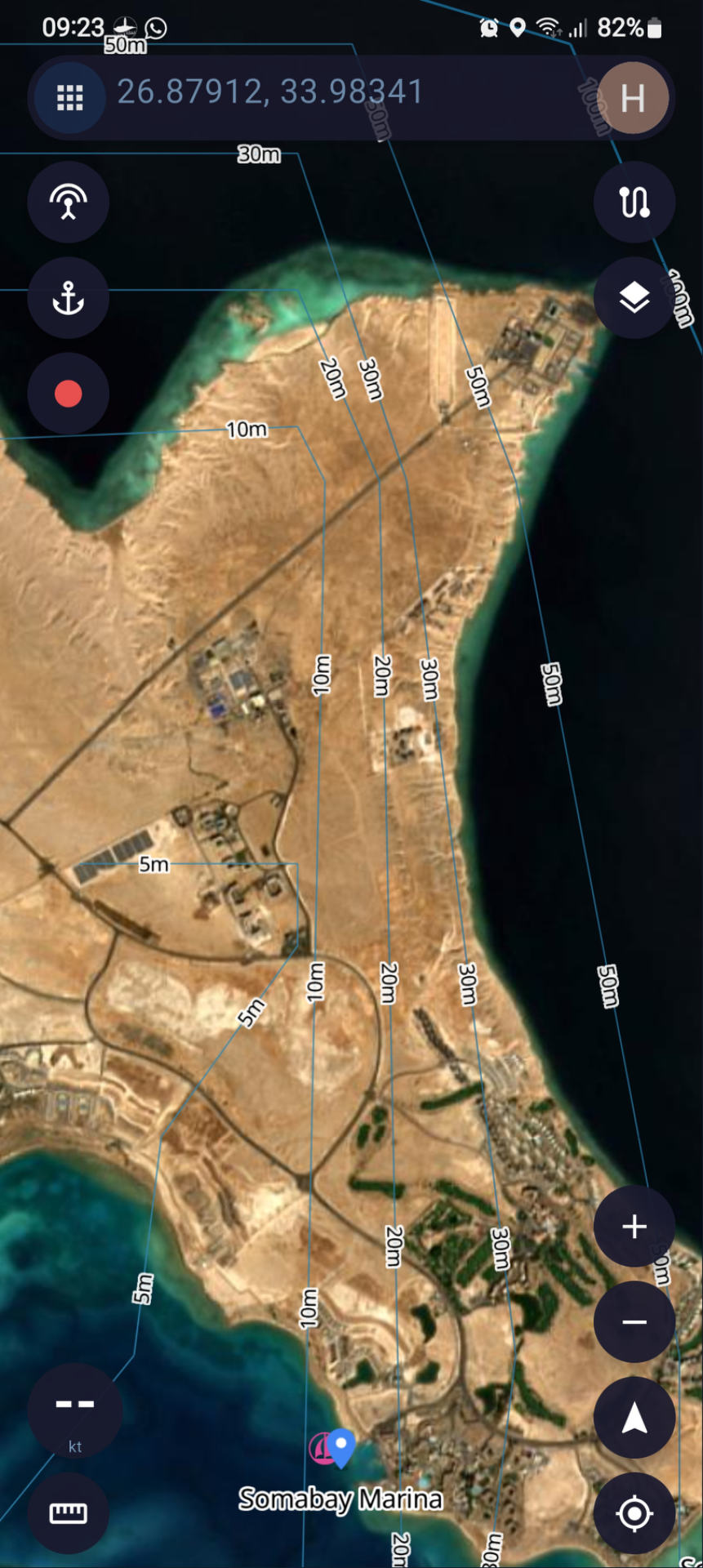
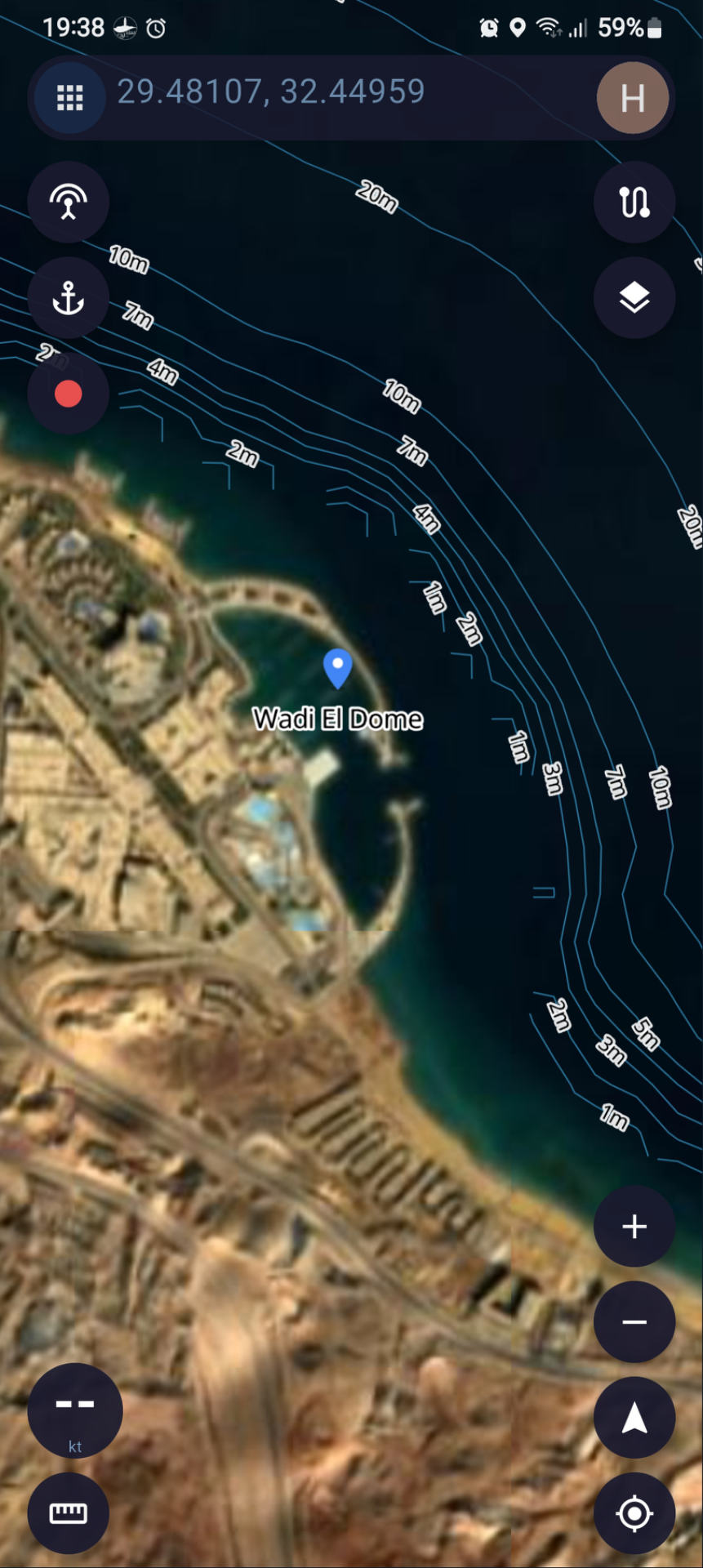
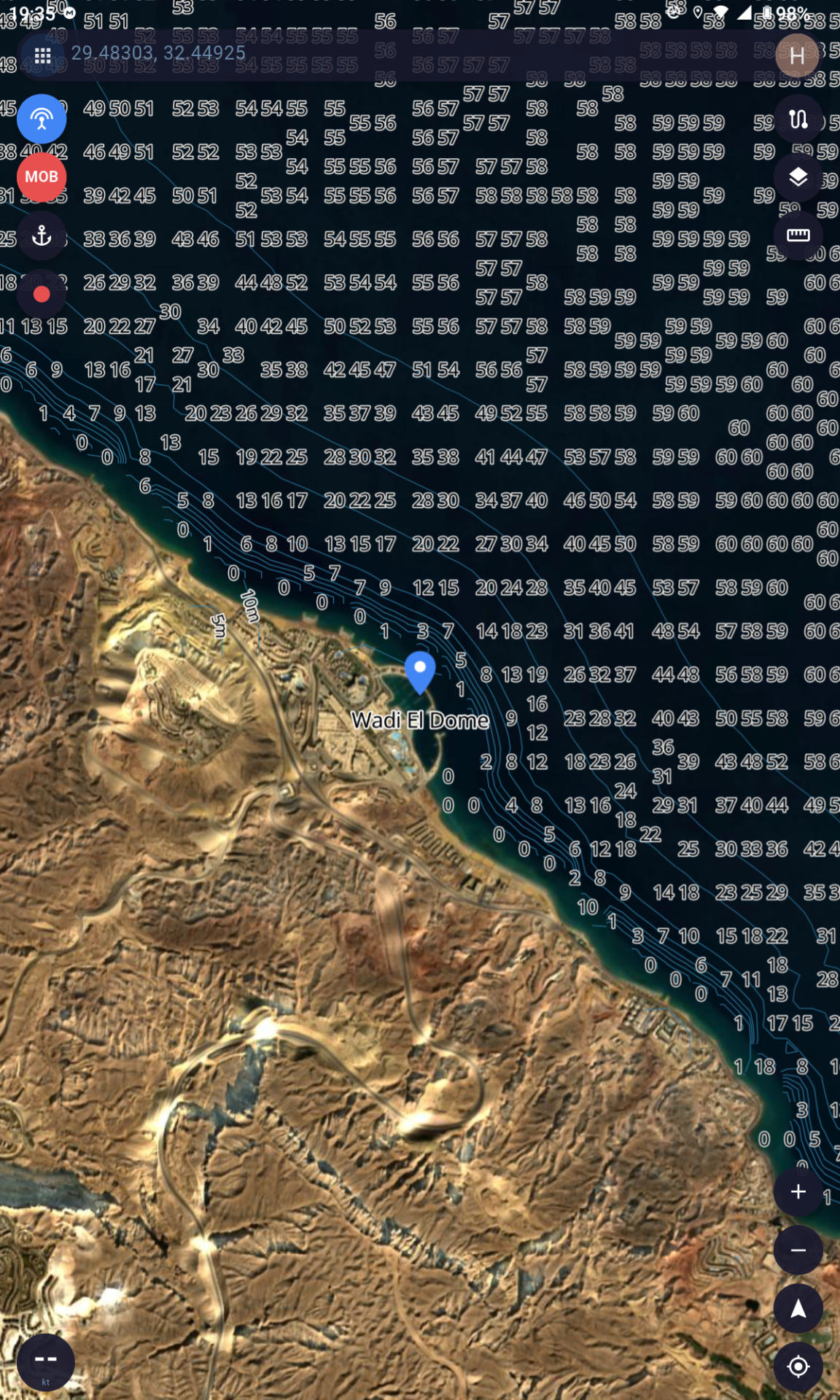
me again , the new charts completely messed up the contour lines, see attached screenshots
also the new text editor is gone??
S Pro
Pro
Hi again!
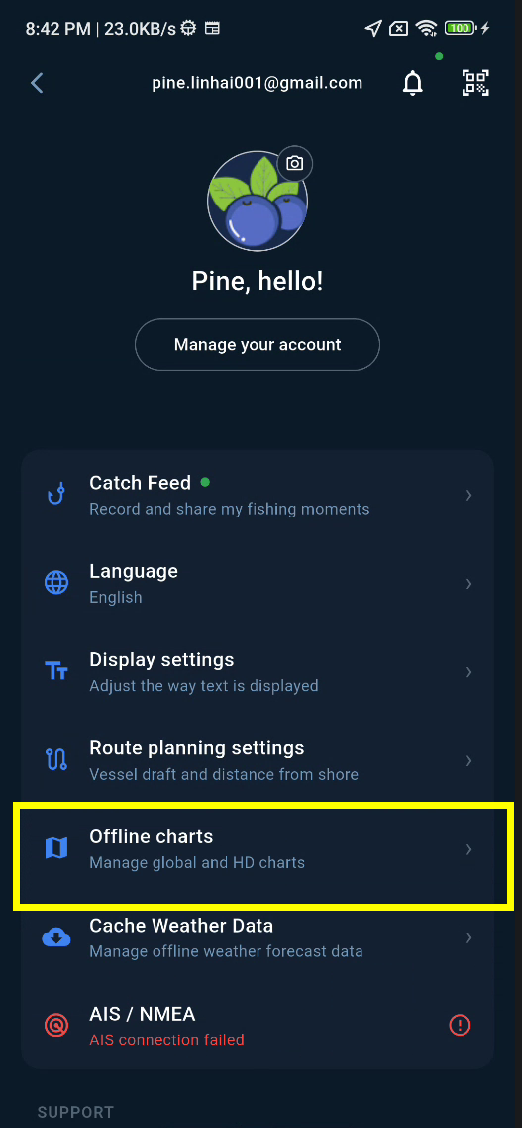
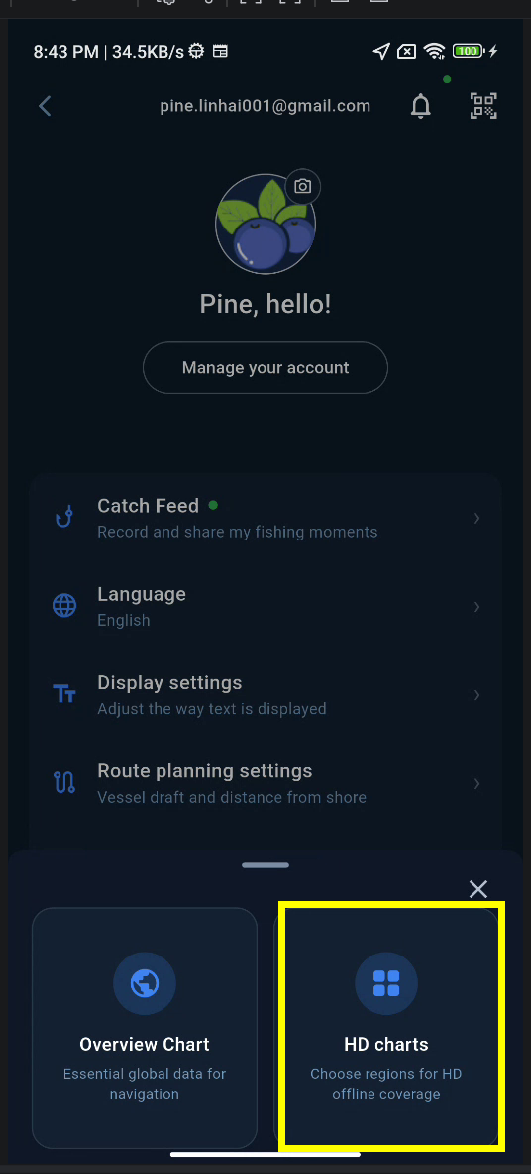
I've recently updated the marine charts. Could you please follow the steps below to update your locally downloaded high-resolution charts?
I suspect that the high-resolution charts for this area haven't been downloaded or updated properly, which might be causing the contour lines to display incorrectly.
Could you please check whether the high-resolution charts for this area have been downloaded?
Thanks for reporting this!
S Pro
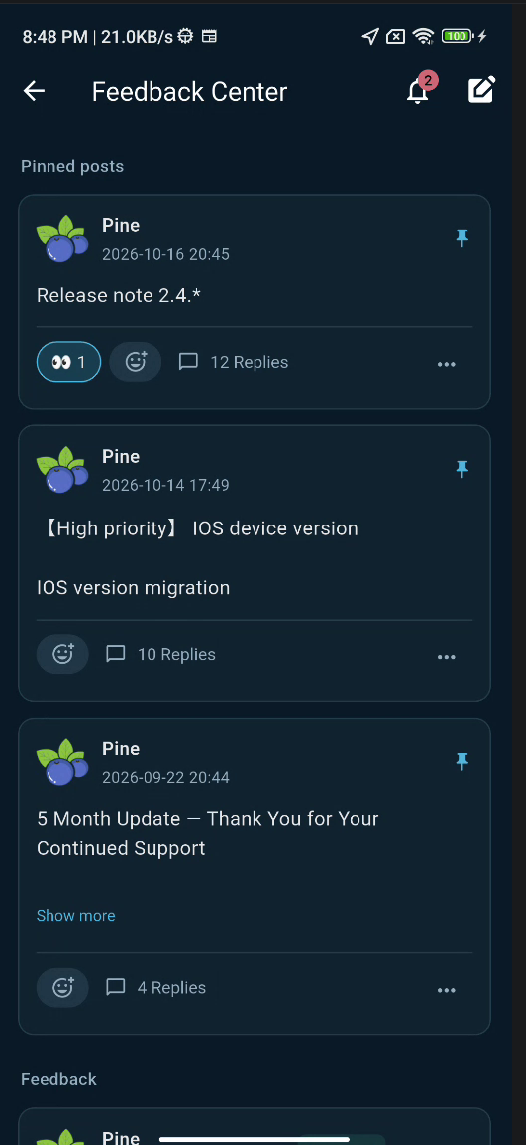
Regarding the text editor, I'm currently redesigning the Feedback Center UI and migrating the data from (feedback.aitinytools.com) the previous general feedback system to the new feedback structure(https://seachart.app/bbs?channel=feedback).
During this transition, some UI elements and layouts may change, and certain features may be moved or adjusted. (Not Released)
I apologize for any inconvenience and appreciate your patience and understanding!
H Pro
feedback
I removed the HD chart and reinstalled, same error
I noticed that on your screenshot the size of the egypt chart is 200 mb, the chart downloaded on my phone is 119 mb, so there is an error in automatic selection somewhere
the other thing is I have the previous version on my tablet 2.4.5 Ltd is working fine but it seems to have lost connection to the feedback back centre. my post from the tablet doesn't show on the phone and .y post on the phone and your response doesn't show on the tablet
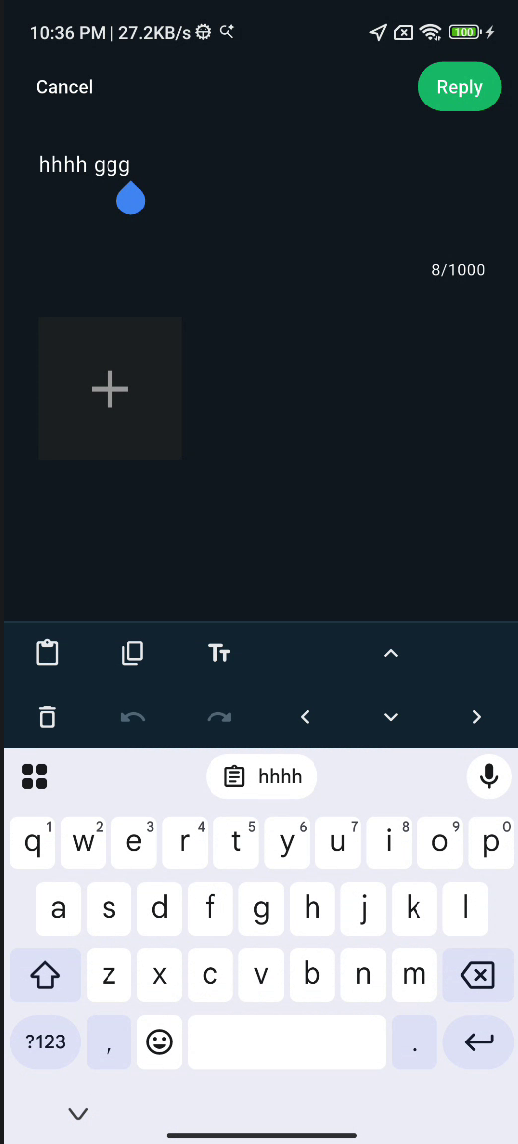
the other thing is the text editor. it is now a smaller box with no way to navigate
H Pro
feedback
auto select only selected a small area of egypt based on my current location
because I am currently in Cairo it completely omitted the red sea and Mediterranean
I downloaded 5 blocks to cover egypt, download size is about 1GB
H Pro
Feedback
deapth error
I checked the deapth in an area that I know quite well
the deapth is not accurate
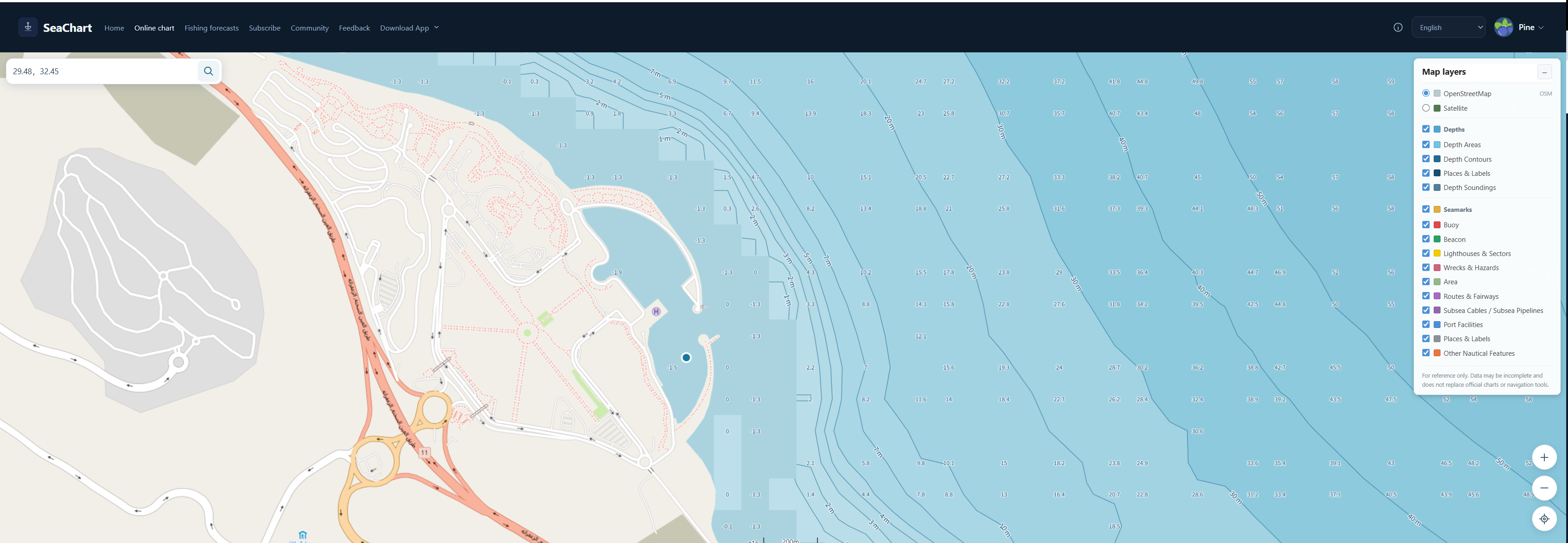
I'll upload screen shots for a place called Wadi El Dome
this is a large marina that accommodates big boats 30 meters +
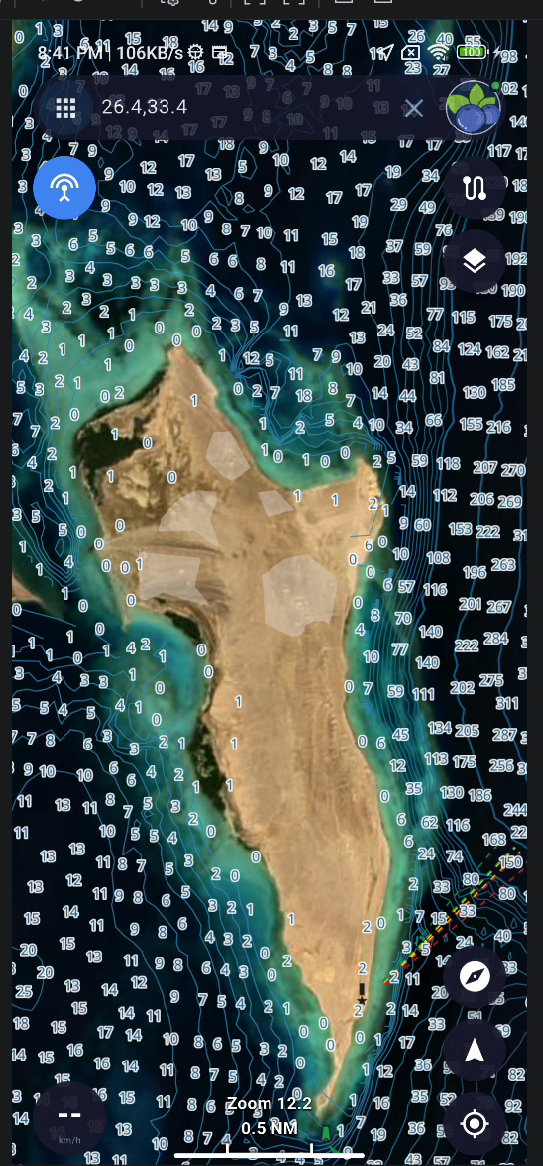
the deapth reading on the map is 0, 1, 2 meters outside the marina, that can not be accurate
the points showing 0 and 1 meters are atleast 10 meters deep
I suspect this is a source error or there is a significant drift
S Pro
Version 2.4.5 is still using the old feedback database, while the newer versions use a completely new system. I'm currently migrating the data, which is why posts and replies are not synchronized between the two versions.
The old feedback centre was a general-purpose system I developed previously. Unfortunately, it didn't record user IDs, so there is no reliable way to match those posts to accounts in the new system.
I've tried to transfer the old posts into the new system, but user ownership had to be matched manually based on the available information, so some posts may not be assigned to the correct users.
The old feedback system will be retired soon, and all future feedback will be handled through the new system.
Regarding the difference in chart file sizes, I suspect it may be caused by a caching issue. I've cleared the server-side cache, and I hope this will resolve the problem.
I apologise for the inconvenience during this transition.
S Pro
Thank you for the detailed feedback and screenshots.
I've reviewed the Wadi El Dome area, and I don't think this necessarily indicates an error or positional drift in the source data.
The issue is more likely related to the resolution of the depth data near the marina. The current processing logic selects the shallowest point within a sampled area. Since breakwaters and other coastal structures may be included in that area, the selected elevation can actually be above sea level, resulting in negative depth values.
This means that even if the actual water depth is 10 metres or more, the displayed value may be 0–2 metres because the sampling area includes part of a breakwater or nearby land.
So, from a processing perspective, the result is consistent with the current logic, although I understand that it can be misleading when viewing depths near marinas and coastal structures.
I'll look into improving how these areas are handled to provide more representative depth readings. For now
S Pro
2.4.8 Beta
This is a beta version for testing, not an official stable release.
- New Pro route planning: Plan routes online or offline using chart depths and vessel draft settings, with improved shallow-water avoidance and channel centering.
- New planning settings: Configure vessel draft and preferred offshore distance, with unit switching.
- Improved route editor: Easier waypoint editing, bulk coordinate editing, and navigation directly from the editor. Improved landscape layouts and smoother map interactions.
- Better route checks: Planning progress, cancellation, depth checks, risk highlighting, and improved retries for failed segments.
- Improved feedback center: Full-screen reply editing, draft preservation, text editing shortcuts, and automatic scrolling to the latest reply.
- Other improvements: Profile photo preview, refined chart feature details, clearer notifications, and improved coordinate display.
Offline planning and local depth checks require complete high-resolution charts for the relevant area. Route planning is experimental in this beta. Review the entire route and actual conditions before departure.
H Pro
Thanks
I'll give it a go but I'll not be on the water for a few weeks
will give you all the feedback that I can
Cheers
S Pro
Thanks, Hassanein!
No rush at all! I really appreciate your continued support and all the detailed feedback you've provided. It's been incredibly helpful in improving SeaChart.
Feel free to test the new features whenever you have time. There's still plenty of work to do, especially on chart accuracy and route planning.
Thanks again, and happy sailing when you get back on the water!
Cheers,
Pine
 SeaChart
 Pro
Pro